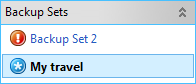
On this pane you will see the list of your existing backup sets with its status:
 symbol means that this set is backed up successfully
 symbol means that there were some errors
during backup
symbol means that there were some errors
during backup symbol means that this set is in process
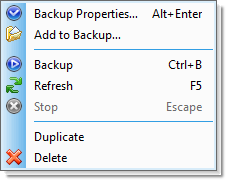
Double-clicking on the selected set will open the Properties dialog.
See also: usb hard drive backup | computer backup program | windows xp backup utility download | backup network files | automatic backup software | remote backup solutions